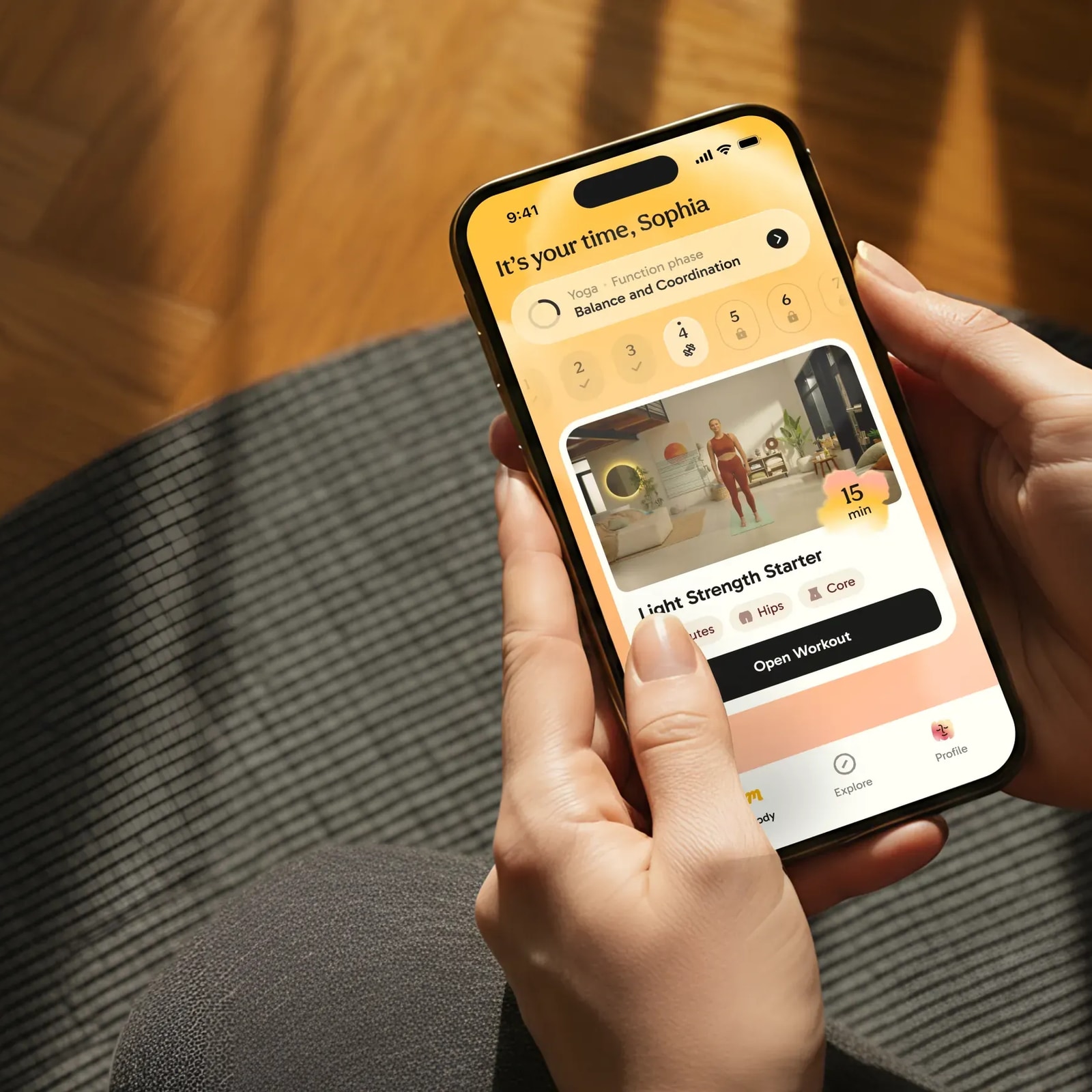
Mobile App UI/UX Design Guide for Startups

In short
- Mobile app design isn't web design shrunk to fit a smaller screen - it involves different navigation patterns, platform-specific conventions, offline states, and app store constraints that web design doesn't have to consider.
- This guide covers what makes app design genuinely different, iOS vs.
- Android considerations, and the process a founder should expect before briefing a designer.
Contents (10)
How App Design Differs From Web
Mobile apps operate under constraints web pages don't: smaller screens, touch-only input, intermittent connectivity, platform-specific navigation conventions, and an install/update cycle that means users don't always have your latest version. App design has to account for offline and error states more rigorously, since a mobile connection dropping mid-task is common in a way a desktop browser losing connection isn't.
Apps also benefit from persistent state and native device capabilities (camera, notifications, biometrics, location) that a website in a browser tab generally can't access as seamlessly - which changes what's possible in the experience, not just how it looks.
iOS vs. Android Design Conventions
iOS and Android have different platform conventions for navigation, typography, and standard components - iOS commonly uses tab bars and follows Apple's Human Interface Guidelines, while Android follows Google's Material Design system with its own navigation and component patterns. A well-designed app respects the platform it's running on rather than forcing identical visuals across both, which is why "design once, ship everywhere" often produces an app that feels slightly foreign on one platform or the other.
Budget for platform-aware design decisions even if you're building with a cross-platform framework - the visual system can share a lot, but navigation and certain components often need platform-specific treatment to feel native.
The App Design Process
- Define core user flows - the 2-3 things users need to accomplish most often, mapped before any screens are designed.
- Wireframe key screens - low-fidelity structure for the core flows, validated for logic before visual design.
- Design the visual system - typography, color, spacing, and component library, respecting platform conventions.
- Design all states - loading, empty, error, and offline states for every core screen, not just the happy path.
- Prototype and test - a clickable prototype tested with real users before development starts on the full scope.
- Dev handoff - detailed specs and a component library ready for engineering, ideally with design and dev working in the same design system.
Mobile-Specific UX Patterns
- Thumb-friendly touch targets - interactive elements sized and placed for one-handed use, not desktop-scale click targets.
- Progressive onboarding - especially important on mobile, where screen space for a tour is limited; see our related guide on onboarding patterns that reduce churn.
- Offline-first thinking - designing what happens when connectivity drops, not just the connected happy path.
- Native gestures - swipe, pull-to-refresh, and long-press patterns users already expect from platform conventions.
- Push notification strategy - designed deliberately, not bolted on after launch, since over-notifying is a leading cause of uninstalls.
App Store Considerations
App store screenshots, icon design, and preview videos function as your landing page for app discovery - they need the same conversion thinking as a website's hero section, since a potential user is deciding whether to install based almost entirely on those assets. Icon design in particular needs to be legible and distinctive at very small sizes, a constraint web favicon design doesn't share to the same degree.
Common Mobile Design Mistakes
- Porting web layouts directly - dense, desktop-oriented layouts that don't adapt to touch and smaller screens.
- Ignoring platform conventions - forcing iOS patterns onto Android or vice versa.
- Skipping edge case states - no design for offline, error, or empty states until development discovers the gap.
- Overloading onboarding - lengthy tours before users reach any real value.
- Underestimating icon and screenshot design - treating app store assets as an afterthought rather than a conversion surface.
Native vs. Cross-Platform Design
Native development (separate iOS and Android codebases) allows the most platform-accurate design, while cross-platform frameworks (React Native, Flutter) can share more design and code but require deliberate attention to keep the experience feeling native on each platform. The design decision should follow the engineering decision here - know your development approach before finalizing how platform-specific your design system needs to be.
Conclusion
Mobile app design is a distinct discipline from web design - different constraints, different platform conventions, and different states to account for. Plan for platform differences, design every state (not just the happy path), and treat app store assets as seriously as any other conversion surface.
If you're planning a mobile app and want to scope the design work correctly from day one, book a call with Elysium Designs.
How Elysium Designs can help
Elysium Designs is an independent, senior-led studio in Bengaluru, India that works with startups and growth companies worldwide. If this article describes a problem you have right now, our product design service is built to solve it. Product design is fixed-price: a 2-week Clarity Sprint from $4,999, a full Product engagement from $15,000 (6-10 weeks), and Platform design from $32,000 (12-16 weeks).
You get a fixed price and timeline in writing before work starts, a small senior team instead of a handoff chain, and full ownership of every file. Book a 30-minute call and we will tell you honestly what you need, including when the answer is something smaller than you planned.
Straight answers
Is designing a mobile app really different from designing a website?
Yes. Mobile apps operate under constraints web pages don't - smaller screens, touch-only input, intermittent connectivity, platform-specific navigation conventions, and an install/update cycle that means users don't always have your latest version. Apps also get access to native device capabilities like camera, notifications, biometrics, and location that a website in a browser tab generally can't use as seamlessly.
Should an app look identical on iOS and Android?
No. iOS and Android have different conventions for navigation, typography, and standard components - iOS commonly uses tab bars under Apple's Human Interface Guidelines, while Android follows Google's Material Design system. Forcing identical visuals across both, a "design once, ship everywhere" approach, often produces an app that feels slightly foreign on one platform or the other.
What are the steps in a typical app design process?
Define the 2-3 core user flows before any screens are designed, wireframe the key screens, design the visual system (typography, color, spacing, components), then design every state - loading, empty, error, and offline - not just the happy path. After that comes a clickable prototype tested with real users, followed by dev handoff with detailed specs.
Do app store screenshots and icons actually matter for design?
Yes. App store screenshots, icon design, and preview videos function as your landing page for app discovery and need the same conversion thinking as a website's hero section, since a potential user decides whether to install based almost entirely on those assets. Icon design specifically needs to be legible and distinctive at very small sizes, a tighter constraint than web favicon design.
Native or cross-platform: which should drive the design?
The design decision should follow the engineering decision. Native development with separate iOS and Android codebases allows the most platform-accurate design, while cross-platform frameworks like React Native or Flutter can share more design and code but need deliberate attention to keep the experience feeling native on each platform. Know your development approach before finalizing how platform-specific your design system needs to be.
Written by the Elysium Designs team. Elysium Designs is an independent, senior-led design studio in Bengaluru, India that works with startups worldwide.